Daybook – Companies Application
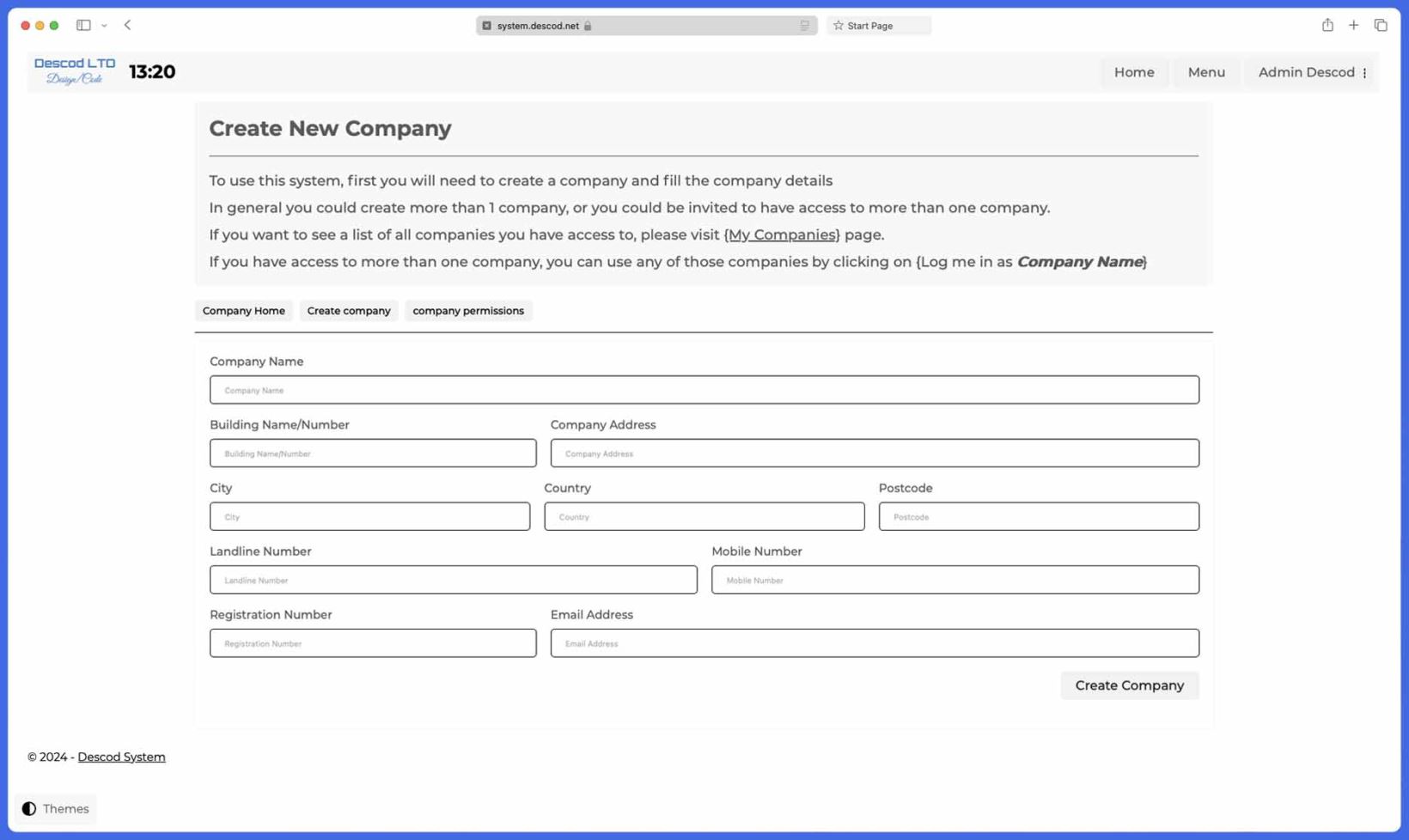
When you sign up for Daybook, the first step is to create a company profile, unlocking a wide range of features designed to streamline your business operations.
Why Create a Company Profile?
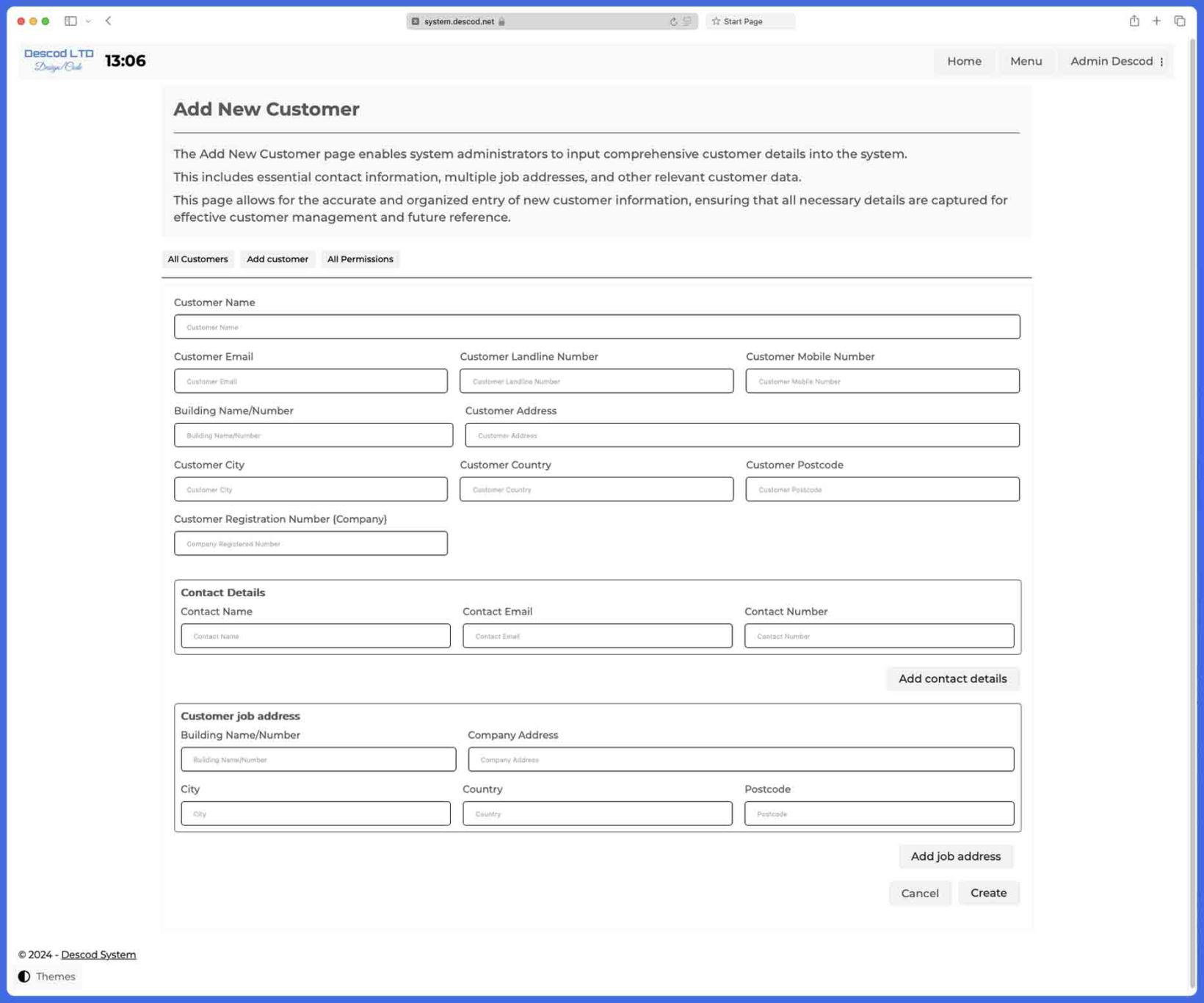
By creating your company within Daybook, you gain access to a suite of applications that help you manage key areas of your business, including staff, customers, vehicles, invoices, products, your company website, and more.
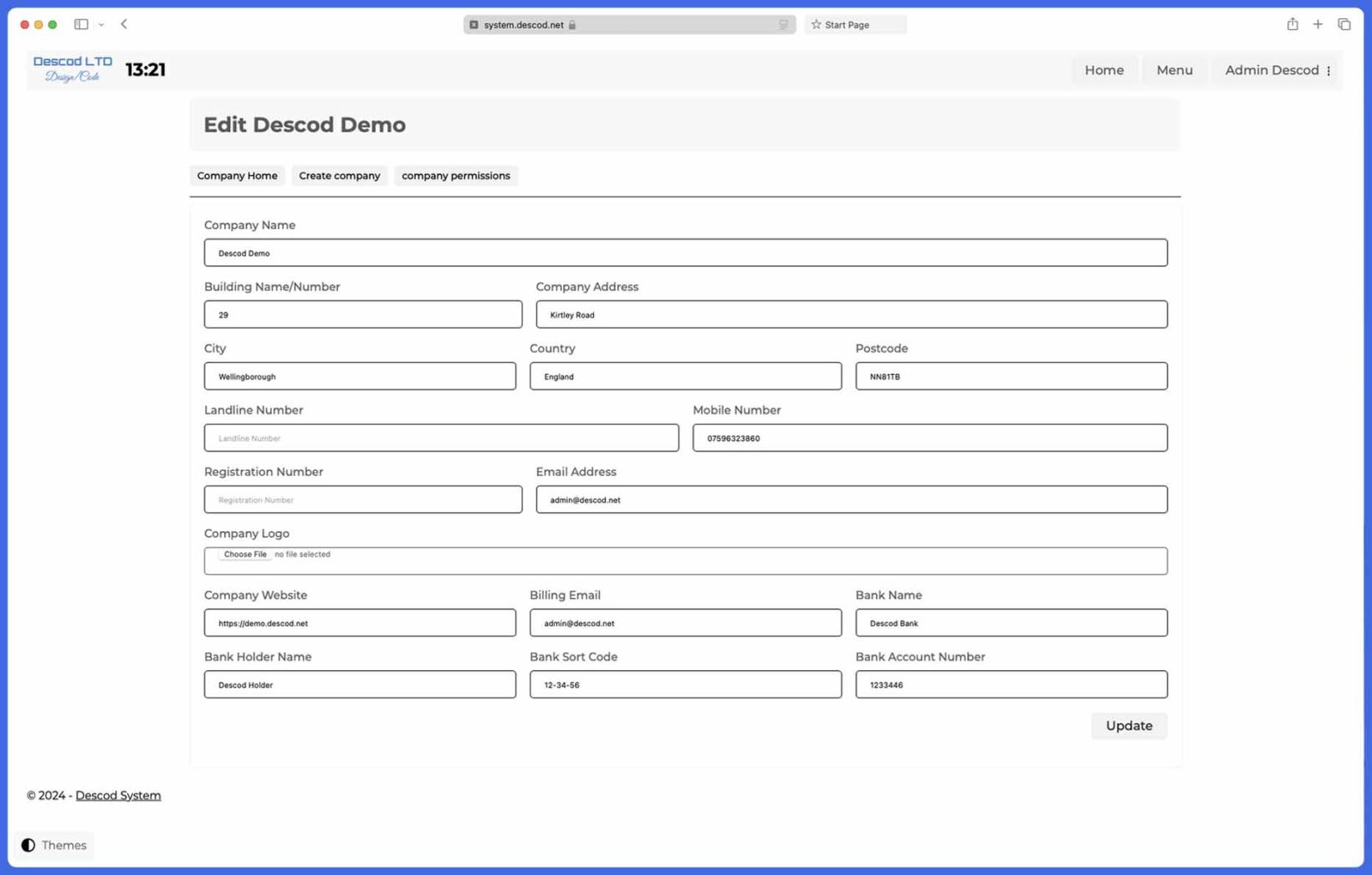
To get started, simply fill in basic company details such as the company name, address, and contact information. Once your company is set up, you can personalize your profile by uploading your company logo and entering bank details.
Personalized Experience for Your Staff
By uploading your company logo, you can replace the default Descod logo across the system, making it feel like an in-house platform tailored to your business. This small detail can enhance the user experience for your staff, creating a sense of ownership and familiarity.
Automated Invoice Processing
Entering your company's bank details enables Daybook to auto-fill relevant fields in the Invoice application , saving you time and reducing errors. Every time you create a new invoice, the system pulls your saved company data, so you don’t have to repeatedly input the same information. If needed, you can easily adjust any pre-filled details to reflect different payment methods or bank accounts.
Manage Multiple Companies with Ease
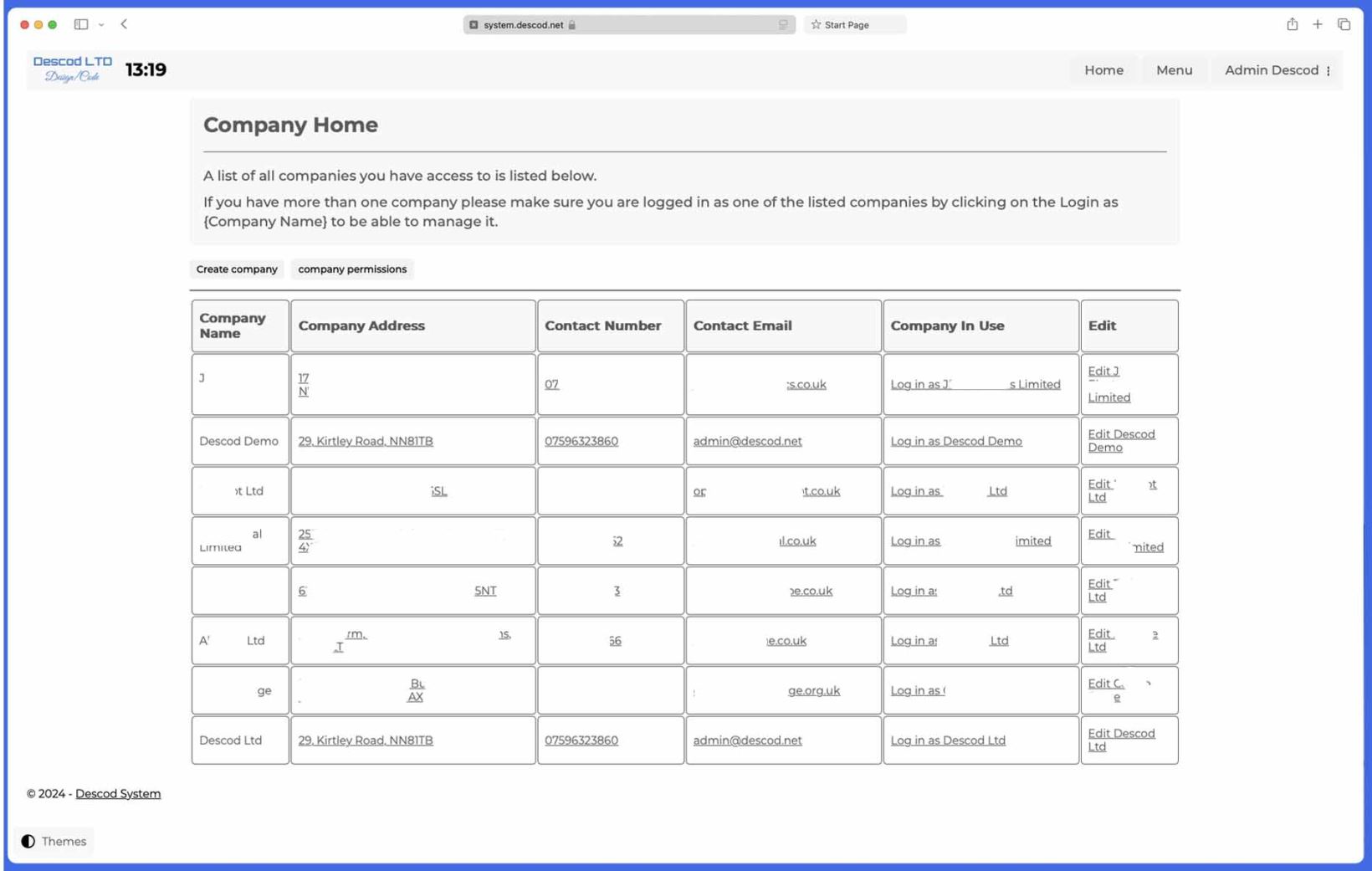
If you operate more than one company, Daybook allows you to manage all of them under a single login. Just create a profile for each company, and you can seamlessly switch between them. From the Company application’s home page, you’ll see a list of all the companies you manage. Accessing each company is as simple as clicking the “Access this company” button, which updates the system with that company’s specific details.
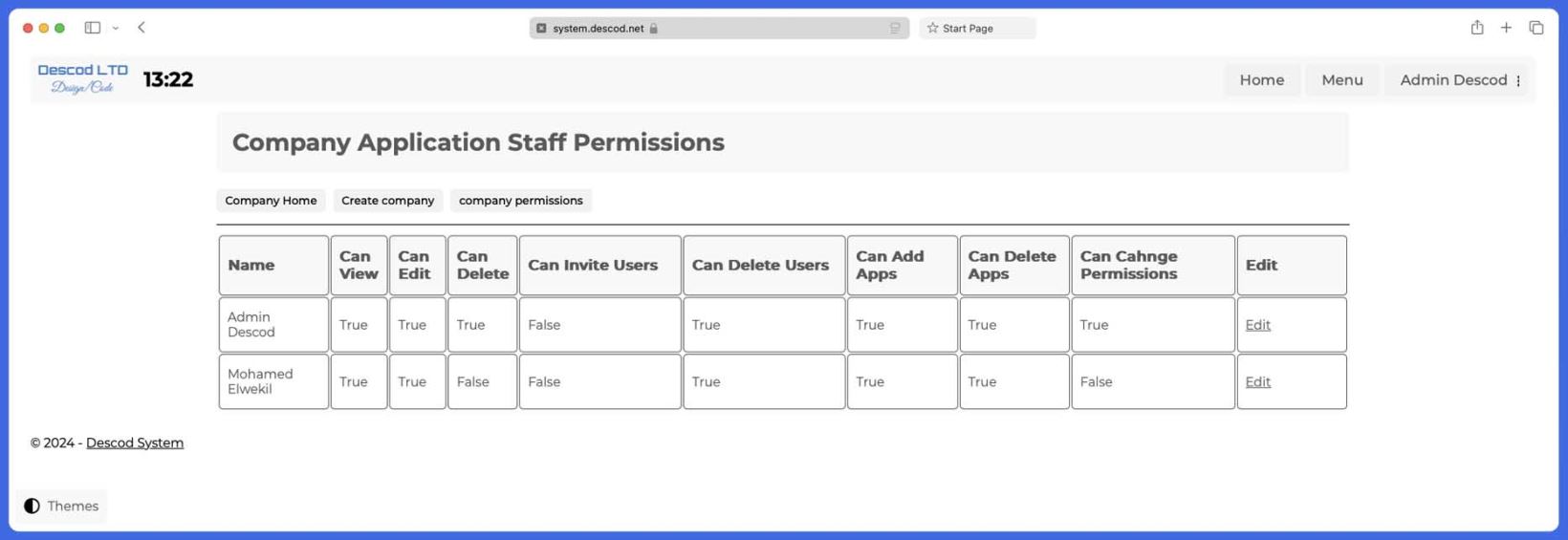
Customizable Access and Permissions
Every application within Daybook comes with its own set of permissions, giving you full control over who on your team can access different parts of the system. This ensures that sensitive information and tools are only available to the right people.
Current Applications
Daybook is constantly evolving, with new applications added regularly. Currently, the system includes:
Your Data, Your Control
Daybook ensures your customer data is secure and private. We don’t use or share your stored data—at the end of the day, it belongs to you.
Tailored Solutions for Your Business
If you’re curious about how Daybook can help you manage your operations, we’re happy to offer a detailed walkthrough. Our team can work with you to demonstrate how each feature can streamline your daily processes.
Additionally, if you have specific requirements or ideas for new applications that could benefit your operations, we’re always open to feedback. Let us know, and we may incorporate your suggestions into future updates.
Simplify Your Operations
Daybook is designed to support and optimize your business operations, so you can focus on what matters most—growing your company.